

 Loading...





















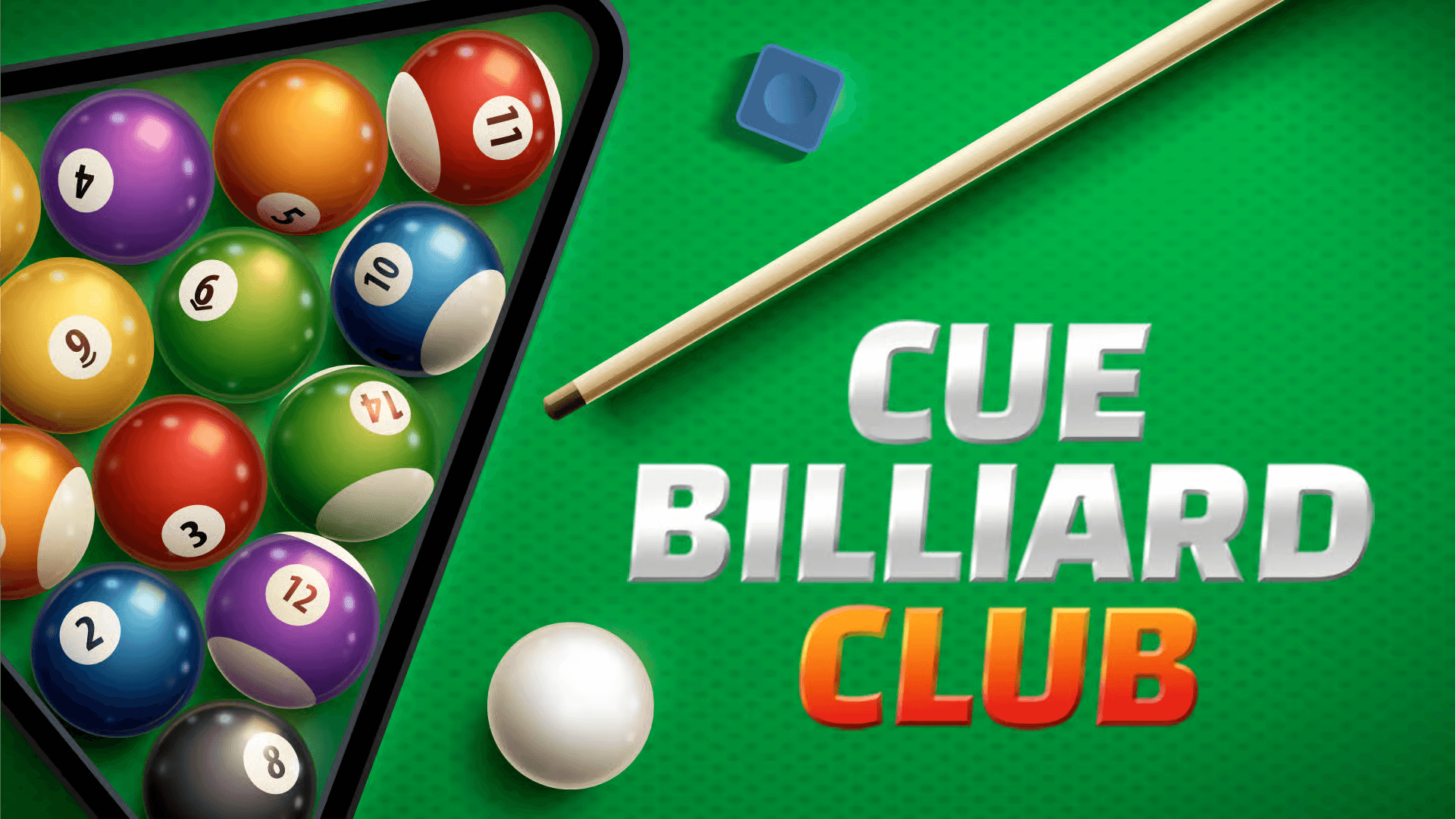
Play Cue Billiard Club and step into a beautifully designed and remarkably authentic pool and snooker simulator that perfectly balances smooth gameplay, accurate ball physics, and a rich variety of game modes. Developed by Obumo Games and released in May 2022, this title has established itself as a premier destination for digital billiards enthusiasts. Players can enjoy everything from casual, relaxing fun to serious, competitive matches across multiple classic formats, including 8-ball, 9-ball, and the strategic game of snooker.
The game offers comprehensive single-player practice sessions, challenging AI tournaments, and even hundreds of creative trick shot challenges to keep the experience fresh and engaging. With its stunning 3D graphics and lifelike, fluid animations, Cue Billiard Club successfully delivers the immersive feeling of playing in a real, high-class billiard club. Whether you are a complete beginner learning the basics or a seasoned expert looking to hone your skills, this game provides endless hours of sophisticated entertainment.
Table of Contents
- About Cue Billiard Club: The Ultimate Pool & Snooker Simulator
- How to Play: A Beginner's Guide to Running the Table
- A Deep Dive into the Game Modes
- Advanced Tips, Tricks, and Strategies
- Core Features of Cue Billiard Club
- Graphics, Sound, and Immersion
- Cue Billiard Club Unblocked: Play Anywhere, Anytime
- Similar Games to Cue Billiard Club
- Frequently Asked Questions (FAQs)
- Download and Play Across Platforms
- Conclusion: The Definitive Online Billiards Experience
About Cue Billiard Club: The Ultimate Pool & Snooker Simulator
Cue Billiard Club is more than just a game—it's a complete and polished simulation of the sport. One of its greatest strengths is the perfect balance it strikes between accessibility for newcomers and deep, rewarding complexity for veteran players. Beginners can easily pick up the intuitive controls and start potting balls within minutes, thanks to a clear user interface and helpful aiming guides. At the same time, seasoned players can dive into the game's advanced mechanics, refining techniques like applying English (spin), executing multi-cushion bank shots, and mastering precise cue ball control for perfect positioning.
The game's powerful physics engine is the star of the show, ensuring that every shot behaves just as it would on a real felt table. The balls collide, spin, and roll with an incredible degree of realism, making strategic play not just possible, but essential for victory. This strong mix of authenticity, engaging game modes, and polished presentation makes Cue Billiard Club one of the most compelling and enjoyable online pool experiences currently available. It’s a title that respects the sport and offers a digital recreation that is both fun and faithful to its real-world counterpart.
How to Play: A Beginner's Guide to Running the Table
Getting started in Cue Billiard Club is a straightforward and enjoyable process. The goal, depending on the mode, is to use the cue stick to pot your designated balls and ultimately the 8-ball or 9-ball before your opponent. Here’s a step-by-step guide to taking your first shot:
- Choose Your Game Mode: Select from a variety of options like 8-ball, 9-ball, snooker, or the single-player trick shot challenges. For your first game, 8-ball is a great starting point.
- Aim Your Shot: Use your mouse or keyboard (WASD/arrow keys) to aim the cue stick. A helpful guideline will appear, showing the projected path of the object ball and the cue ball. Line it up with your target.
- Set Your Power: Click and hold the left mouse button. A power meter will appear. Drag your mouse back to set the desired power for your shot—a gentle tap for a soft shot, or a full drawback for a powerful break or long-distance pot.
- Apply Spin (Optional): For more advanced control, you can apply English, or spin, to the cue ball. This can alter its path after it strikes the object ball, helping you set up your next shot.
- Take the Shot: Release the left mouse button to strike the cue ball. Watch as the highly realistic physics engine takes over, sending the balls across the table exactly as you planned.
- Continue Your Turn: In most modes, you continue shooting as long as you legally pot one of your own balls. Plan your shots in sequence to clear the table in a single turn.
Controls
The control scheme is designed for precision and ease of use.
- Hold & Release Left Mouse Button: Adjust power and take the shot.
- WASD or Arrow Keys: Finely aim the cue stick.
- Right-Click + Drag Mouse: Adjust your camera view and perspective.
- C + Right-Click: Bring up the spin menu to apply English to the cue ball.
- B Key: Place the cue ball in the allowed area (after a foul or at the start of a game).
A Deep Dive into the Game Modes
Cue Billiard Club offers a fantastic variety of modes to suit any mood or skill level.
- 8-Ball Pool: The classic game. Players are assigned either solids or stripes after the break and must pot all of their group before legally sinking the 8-ball to win. This is the perfect mode for strategic, turn-based gameplay.
- 9-Ball Pool: A faster-paced, more rotational game. Players must always hit the lowest-numbered ball on the table first. The game is won by the player who legally pots the 9-ball. This mode emphasizes clever positioning and combo shots.
- Snooker: A highly strategic and complex game played on a larger table with smaller balls. Players score points by potting red balls and then colored balls in a specific sequence. It is a true test of precision and long-term planning.
- Trick Shot Challenges: This mode features hundreds of pre-set table layouts that act as physics puzzles. You must clear the table in a creative and specific way, often with a limited number of shots. It's a brilliant way to learn advanced techniques.
- Practice Mode: A stress-free environment where you can set up any shot you like and practice at your own pace. This is the ideal place to hone your skills, master spin, and perfect your break.
Advanced Tips, Tricks, and Strategies
To elevate your game from casual play to competitive dominance, you need to master the finer points of strategy.
The Art of Cue Ball Control
The single most important skill in billiards is not just potting a ball, but controlling where the cue ball goes *after* the shot. Always think one or two shots ahead. Use topspin to make the cue ball roll forward after impact, backspin (draw) to pull it backward, and side-spin to alter its angle off the cushion. Mastering this will allow you to leave yourself with easy shots, turn after turn.
The Strategic Break
The break shot is more than just hitting the balls hard. In 8-ball, a successful break should spread the balls widely across the table and ideally pot a ball, giving you control. In 9-ball, a controlled, accurate break that hits the 1-ball squarely can set you up for a game-winning run from the very start.
Defensive Play and Safety Shots
Sometimes the best move is not to pot a ball at all. If you don't have a high-percentage shot, consider playing a "safety." This is a defensive shot where your goal is to leave the cue ball in a difficult position for your opponent, for example, hidden behind one of your own balls. A well-played safety can be more valuable than a risky offensive attempt.
Core Features of Cue Billiard Club
- Hyper-Realistic Physics Engine: Experience true-to-life ball behavior, from collisions and spins to cushion rebounds.
- Multiple Game Disciplines: Enjoy full-featured 8-ball, 9-ball, and snooker modes for endless variety.
- Hundreds of Trick Shot Puzzles: Test your creativity and problem-solving skills with a massive library of unique challenges.
- Comprehensive Practice Mode: Hone your skills in a pressure-free environment to master every aspect of the game.
- Deep Customization Options: Personalize your experience with customizable table cloths, decals, and different camera angles.
- Challenging AI Opponents: Compete in tournaments against AI of varying difficulty levels, from beginner to expert.
Graphics, Sound, and Immersion
Cue Billiard Club excels in creating an authentic and immersive atmosphere. The 3D graphics are crisp and clean, with realistic lighting that reflects off the polished surfaces of the balls. The table cloths and decals are customizable, allowing you to create your ideal playing environment. The animations are smooth, from the fluid motion of the cue stick to the satisfying roll of the balls across the felt.
The sound design further enhances the immersion. You'll hear the sharp, satisfying "clack" of the cue ball striking its target, the subtle rumble of balls rolling across the table, and the distinct sound of a ball dropping into a pocket. Together, these polished visuals and authentic sound effects create a cohesive and believable simulation that makes you feel like you're standing in a real, high-end pool hall.
Cue Billiard Club Unblocked: Play Anywhere, Anytime
For those moments when you want to enjoy a quick game during a break at school or work, network restrictions can be a major hurdle. Fortunately, "unblocked" versions of Cue Billiard Club allow you to bypass these firewalls and play from anywhere. These are the official browser versions of the game hosted on alternative websites, such as Google Sites or dedicated unblocked gaming portals, which are less likely to be restricted by network administrators.
Playing an unblocked version gives you access to the full game with all its features, including all game modes and the trick shot challenges, without the need for any downloads. To find one, simply search for "Cue Billiard Club unblocked." As always, prioritize your digital safety by choosing a reputable and well-known website to ensure a secure gaming experience. These unblocked versions ensure that a great game of pool is always just a few clicks away, no matter where you are.
Similar Games to Cue Billiard Club
If you enjoy the strategic gameplay of Cue Billiard Club, here are some other top-tier digital pool and snooker games:
- 8 Ball Pool: The most popular online multiplayer pool game in the world, known for its fast-paced matches and competitive ranking system.
- Pool Club: A relaxing and stylish single-player billiards game with a focus on smooth gameplay and a calming atmosphere.
- MiniPool.io: A fun, multiplayer-focused pool game with chaotic, fast-paced rounds and a unique physics model.
- Trickshot Billiards: For players who love the puzzle aspect, this game is entirely focused on solving creative and challenging trick shot scenarios.
Frequently Asked Questions (FAQs)
Can I play Cue Billiard Club for free?
Yes, Cue Billiard Club is available as a free-to-play game on browser platforms. The full experience is accessible to everyone without any initial cost.
Is Cue Billiard Club available on mobile?
While the primary version discussed here is for desktop browsers, there are mobile versions available for both Android and iOS, allowing you to enjoy the game on the go.
Does Cue Billiard Club have an online multiplayer mode?
The browser version does not feature real-time online multiplayer against other people. However, it offers an excellent "pass & play" mode for local multiplayer on the same device and features challenging AI tournaments that simulate a competitive experience.
How do you aim and control the cue stick precisely?
For fine-tuning your aim, use the WASD or arrow keys to make small, precise adjustments. The mouse is great for general aiming, but the keyboard is key for that final, perfect alignment. Remember to use the different camera angles to get the best possible view of your shot.
Is there a practice or training mode?
Yes, the game includes a comprehensive practice mode. This allows you to place the balls anywhere you want on the table and practice specific shots repeatedly without any pressure, making it an invaluable tool for improvement.
How do the trick shot levels work?
The trick shot levels present you with a unique, pre-set arrangement of balls on the table. Your goal is to solve the puzzle by potting all the necessary balls in a creative way, often within a limited number of moves. They are a fantastic test of your problem-solving skills and your understanding of ball physics.
How does spin (English) work in the game?
To apply spin, you press 'C' and right-click to bring up a diagram of the cue ball. Clicking on this diagram changes the point of impact. Hitting the top applies topspin (follow), the bottom applies backspin (draw), and the sides apply left or right side-spin, which affects the angle the cue ball takes after hitting a cushion.
Can I save my progress in the game?
Yes, your progress, such as completed tournament levels and unlocked trick shots, is typically saved automatically in your browser's local storage. This means as long as you use the same browser and don't clear its data, your progress will be waiting for you when you return.
Is this a good game for learning the rules of real pool or snooker?
Absolutely. The game adheres strictly to the official rules of 8-ball, 9-ball, and snooker. The realistic physics and clear rule enforcement make it an excellent and fun tool for beginners to learn the fundamentals and strategies of these classic games.
How does the AI difficulty scale in tournaments?
The AI difficulty progresses as you advance through a tournament. Early-round opponents may make obvious mistakes and leave you with easy shots. However, opponents in the semi-finals and finals will play much more strategically, executing complex bank shots, playing defensively, and rarely making unforced errors.
Can I customize the appearance of my cue stick?
In the current browser version, customization is focused on the table appearance (cloth color and decals). While there aren't different cue stick models to choose from, the default cue is designed for clarity and precision in all game modes.
What is the main difference between 8-Ball and 9-Ball modes in the game?
The main difference is the objective and rules. In 8-Ball, you must pot your entire group of balls (solids or stripes) before sinking the 8-ball. In 9-Ball, you must always hit the lowest-numbered ball on the table first, and the game can end at any moment if someone legally pots the 9-ball, even on the break.
Are there any ads in the browser version?
Free-to-play browser games like Cue Billiard Club are often supported by ads. However, they are typically implemented in a way that does not interrupt active gameplay, often appearing between matches or in menu screens.
Does the game track my stats?
While the game saves your level progression, it does not feature a deep statistical tracking system (like win/loss ratio or potting percentage) in the browser version. The focus is on the in-the-moment gameplay and completing the various challenges and tournaments.
Can I play against a friend on a different computer?
No, the browser version does not support online multiplayer between different devices. The multiplayer functionality is limited to "pass & play," where two players take turns using the same computer and mouse.
Download and Play Across Platforms
While the browser version offers instant play, you can also download Cue Billiard Club on various platforms for a dedicated experience. Mobile users can find it on both major app stores, ensuring you can take the pool hall with you wherever you go.
Conclusion: The Definitive Online Billiards Experience
In the world of digital sports simulations, Cue Billiard Club stands out as a true champion. It is more than just a game—it’s a complete, lovingly crafted billiards simulator that brings all the tension, strategy, and satisfaction of the real-world pool hall directly to your device. With its hyper-realistic physics, wide variety of game modes, deep trick shot challenges, and robust customization features, it offers something truly special for every type of player.
Whether you’re looking to spend a few minutes relaxing in practice mode, test your strategic mind against challenging AI opponents, or enjoy a casual "pass & play" match with your friends, this title consistently delivers a premium and polished experience. For its remarkable authenticity and endless replayability, Cue Billiard Club has earned its place as one of the most enjoyable and definitive billiards games available online today.