

 Loading...

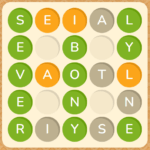




Play Text Twist and engage your brain with one of the most iconic and beloved word puzzle games ever created. This timeless classic offers a pure and addictive challenge: you are given a set of six scrambled letters and two minutes on the clock to find as many words as possible. It's a frantic race against time that tests your vocabulary, spelling, and ability to see patterns under pressure. Whether you're a seasoned wordsmith or just looking for a fun mental workout, the "just one more round" appeal of this game is undeniable.
The legacy of this hit has continued with its popular sequel, Text Twist 2, which introduces new gameplay modes, including a relaxing untimed option for players who prefer to solve puzzles at their own pace. From the classic challenge of Text Twist 1 to the expanded features found in versions from portals like Gamefools and MSN Games, the series offers endless hours of word-building fun. This definitive guide will cover the rules, strategies for finding the elusive "bingo" word, the differences between game modes, and tips for using tools like a Text Twist solver to sharpen your skills.
Table of Contents
- About Text Twist: A Classic Word Puzzle Phenomenon
- How to Play: Understanding the Core Mechanics
- Game Modes and Objectives Explained
- Mastering the Controls
- Key Game Features
- The All-Important "Bingo" Word
- Understanding the Rounds and Difficulty Curve
- Advanced Strategies and Solver Tools
- Tips & Tricks: From Novice to Wordsmith
- Game Economy and Monetization
- The Social and Competitive Scene
- Similar Games to Text Twist
- Technical Aspects: Graphics and Performance
- Development and Legacy
- Is Text Twist Safe for Kids?
- Accessing the Game: Browser and Mobile Downloads
- Frequently Asked Questions (FAQs)
- Conclusion
About Text Twist: A Classic Word Puzzle Phenomenon
Text Twist is a classic anagram word puzzle game developed by the casual games powerhouse GameHouse and first released in 2001. It quickly became one of the most popular and recognizable titles in the genre, captivating players with its simple yet challenging formula. The game's premise is to unscramble a set of jumbled letters to form as many valid words as possible within a two-minute time limit.
The core of its design is a brilliant balance of vocabulary knowledge and pattern recognition. It's not just about knowing words; it's about being able to spot them in a chaotic jumble of letters. This addictive quality led to its massive success as a downloadable PC game and later as a staple on major online game portals like MSN Games and Pogo. Its enduring appeal resulted in the creation of a sequel, Text Twist 2, which refined the formula and added new modes to satisfy both competitive and casual players.
- Developer: GameHouse
- Release Date: 2001
- Platforms: Web Browser, Windows PC, Android, iOS
- Genre: Word Game, Puzzle, Brain Training
How to Play: Understanding the Core Mechanics
The objective of Text Twist is to score points by forming words from a set of six or seven jumbled letters. To advance to the next round, you must uncover the "bingo" word—the single word that uses all the given letters.
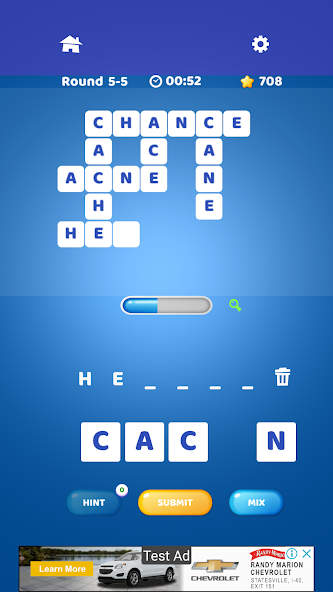
- The Setup: At the start of each round, you are presented with a set of letters (usually six) and a two-minute timer begins.
- Forming Words: You can form words of three letters or more by clicking on the letters or by typing them on your keyboard. Once you've formed a word, press "Enter" to submit it. If the word is valid, it will appear in a list on the screen, and you will be awarded points.
- The "Twist" Button: If you get stuck, you can click the "Twist" button. This shuffles the letters on the screen, giving you a fresh visual perspective that can help you spot new word combinations you might have missed.
- Winning the Round: To pass the round and move on to the next one, you absolutely must find the bingo word before the timer runs out. Finding other words will earn you points, but only the bingo word allows you to advance.
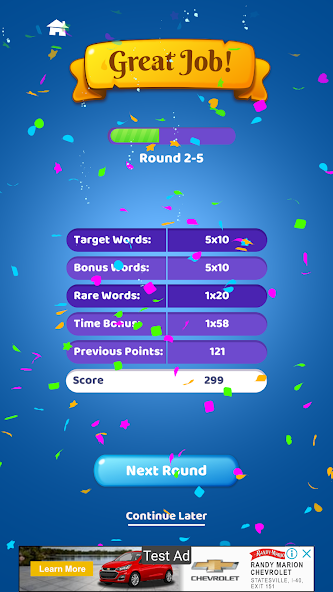
- Scoring: Points are awarded based on the length of the words you find. Longer words are worth significantly more points. Finding all possible words in a round awards a large point bonus.
Game Modes and Objectives Explained
While the original game focused on a single, timed experience, the sequel, Text Twist 2, introduced several new modes to cater to different playstyles.
- Timed Mode: This is the classic, high-pressure experience. You have two minutes to find the bingo word and score as many points as possible. This mode is a thrilling test of speed and quick thinking.
- Untimed Mode: A game-changing addition for many players. In this mode, there is no timer. You can take as long as you need to find every single word in the puzzle. This is a perfect mode for a relaxing, brain-teasing experience, and it's an excellent way to practice and expand your vocabulary without pressure.
- Lightning Mode (Text Twist 2): A fast-paced variant where you must find a word using a specific letter from the jumble before time runs out.
- Word of the Day (in some versions): A daily challenge featuring a single puzzle. This mode often has leaderboards, allowing you to compare your score with players from around the world.
Mastering the Controls
The game can be controlled entirely with either the mouse or the keyboard, allowing for comfortable play based on your preference.
| Action | Keyboard Controls | Mouse Controls |
|---|---|---|
| Enter Letters | Type the letters on your keyboard | Click on the on-screen letter tiles |
| Submit Word | Press Enter | Click the "Enter" button |
| Shuffle Letters | Press Spacebar | Click the "Twist" button |
| Clear Entry | Press Backspace | Click the "Clear" button |
Key Game Features
- Addictive Anagram Gameplay: The core loop of unscrambling letters is timeless and highly engaging.
- Vocabulary and Spelling Trainer: The game is an excellent and fun way to improve your language skills.
- Multiple Game Modes: With both timed and untimed options, the game appeals to both competitive and casual players.
- Simple, Clean Interface: The design is intuitive and functional, allowing players to focus entirely on the puzzle.
- The Satisfying "Twist" Mechanic: The ability to shuffle letters is a simple but brilliant feature that is core to the strategy.
- High Replayability: With a huge dictionary of words, every round is a new and unique challenge.
The All-Important "Bingo" Word
The central pillar of Text Twist's design is the "bingo" word. This is the one word in each puzzle that uses all of the available letters. While you can score thousands of points by finding smaller words, your progress is completely halted until you find this key word. This creates a fascinating dynamic where the player is constantly juggling two goals: the frantic search for any and all words to boost their score, and the more focused, puzzle-like hunt for that single, all-important bingo word. The moment of discovery when you finally spot the bingo word is one of the most satisfying experiences in the game.
Understanding the Rounds and Difficulty Curve
Text Twist does not have "levels" in the traditional sense of themed worlds or stages. Instead, the game is structured as a series of rounds, with each round being a new puzzle with a new set of letters. The difficulty, however, does increase as you progress deeper into a game session.
Round Structure
Each round is a self-contained challenge. You are given your letters, the two-minute timer starts, and you must find the bingo word to proceed. If you succeed, you move to the next round with a new set of letters. If you fail, the game is over.
The Difficulty Curve
The game subtly increases its difficulty in several ways as you complete more rounds:
- Letter Rarity: Early rounds tend to use very common letters (E, A, R, S, T, L). As you advance, the game will start introducing less common, high-value Scrabble letters like J, K, Q, X, and Z. These letters form far fewer words, making the puzzles inherently more difficult.
- Bingo Word Obscurity: The bingo words in the initial rounds are often common, everyday words. In later rounds, the bingo words can be much more obscure, requiring a larger vocabulary to identify.
- Number of Possible Words: The letter combinations in later rounds may be intentionally chosen to have fewer possible smaller words, making it harder to score points while you hunt for the bingo word.
Advanced Strategies and Solver Tools
To become a Text Twist expert, you need to think systematically.
- Hunt for Prefixes and Suffixes: Always look for common word endings. If you have the letters I, N, and G, start trying to attach "-ing" to every possible three-letter word you can make. The same goes for "-er," "-es," "-ed," and "-s."
- Isolate Vowels and Consonants: Mentally group the vowels and consonants and try different combinations. Try starting words with each of the available vowels to see what possibilities open up.
- The Strategic Twist: Don't just mash the "Twist" button. Use it when you've exhausted all the words you can see from the current arrangement. A single twist can make a hidden word instantly obvious.
Using a Text Twist Solver
For players who are truly stuck or want to learn, tools like a Text Twist solver or Text Twist unscrambler can be very helpful. These online tools allow you to enter your jumbled letters, and they will instantly provide you with a list of all possible words, including the bingo word. While using a solver during a competitive game is cheating, it can be an excellent learning tool. After a round is over, plugging the letters into a solver can show you all the words you missed, helping you expand your vocabulary for future games.
Tips & Tricks: From Novice to Wordsmith
- Find the Short Words First: Start by quickly identifying all the three and four-letter words. This builds your score and can help you see parts of longer words.
- Always Try Plurals: If you find a word, immediately try adding an "S" to the end. It's the easiest way to find another valid word.
- Use the Keyboard: For most players, typing the words on the keyboard is significantly faster than clicking the letters with the mouse.
- Play Untimed Mode to Practice: Use the untimed mode in Text Twist 2 to build your vocabulary and pattern recognition skills without the stress of the clock.
Game Economy and Monetization
Text Twist has had different business models over its long history.
- Premium Download (Original): The original PC version was a premium title that you purchased once to own.
- Subscription-Based (Portals): Versions on platforms like Gamefools or MSN Games were often part of a larger gaming subscription service.
- Ad-Supported (Modern): The current free-to-play versions available in browsers and on mobile are typically supported by advertisements that play between rounds or are displayed on the screen.
The Social and Competitive Scene
Text Twist is primarily a single-player experience, with the main competition being against the clock and your own high score. However, many versions include online leaderboards, especially for daily challenges, allowing players to compare their scores globally. The game also thrives on informal competition between friends and family, seeing who can get the highest score or last the most rounds.
Similar Games to Text Twist
If you love the anagram-solving fun of Text Twist, here are some other games you're sure to enjoy.
- Text Twist 2: The official sequel is the most direct and obvious alternative, offering more modes and an updated word list.
- Wordscapes: A hugely popular mobile game that combines word-finding with a crossword-style puzzle. It offers a more relaxed, level-based experience.
- Boggle With Friends: The digital version of the classic tabletop word-finding game. You slide your finger to connect letters and form words on a grid, competing against friends online.
- Scrabble GO: The official mobile version of the world's most famous word game, where you compete to build words on a board for the highest score.
- Wordament: A fast-paced, real-time word tournament from Microsoft where you compete against hundreds of other players simultaneously to find as many words as possible on a single board.
Technical Aspects: Graphics and Performance
- Simple and Functional Design: The game's interface is clean, simple, and functional. The focus is entirely on the letters and the timer, with no distracting graphics.
- Lightweight and Accessible: Whether as a classic PC download or a modern HTML5 browser game, Text Twist is extremely lightweight and can run smoothly on virtually any device.
Development and Legacy
GameHouse's Text Twist is a foundational title in the digital word puzzle genre. Along with titles like Bookworm, it defined the casual word game boom of the early 2000s. Its simple, addictive formula has been imitated and adapted by countless games since, but the original remains a benchmark for the genre. Its legacy is that of a perfect "coffee break" game—easy to learn, quick to play, and endlessly replayable, providing a satisfying mental challenge that has kept players hooked for over two decades.
Is Text Twist Safe for Kids?
Yes, Text Twist is an excellent and completely safe game for players of all ages.
- Educational Value: It is a fantastic tool for improving vocabulary, spelling, and pattern recognition skills in a fun and engaging way.
- No Inappropriate Content: The game's dictionary is curated to be family-friendly. There is no violence, mature themes, or inappropriate content of any kind.
Accessing the Game: Browser and Mobile Downloads
Browser Play: Free and Instant
The easiest way to enjoy the game is to play Text Twist free online. Numerous websites host the game, allowing you to play instantly in your browser with no downloads required. These versions are perfect for quick sessions on a PC or Chromebook.
Official Downloads
For a dedicated app experience, you can download the game for your preferred platform.
- PC Download: While the original GameHouse version is older, modern versions of Text Twist download for Windows 10 can be found on various game distribution sites.
- Download for Android: The official version of Text Twist 2 is available on the Google Play Store.
- Download for iOS: iPhone and iPad users can find the game on the Apple App Store.
- APK File (Alternative): For Android users who prefer manual installation, the Text Twist download APK can be found on third-party sites like APKPure. Always use reputable sources for APK files.
Frequently Asked Questions (FAQs)
1. How do you win a round in Text Twist?
To win a round and advance, you must find the "bingo" word, which is the single word that uses all of the given letters. Finding other words earns points, but the bingo word is required to continue.
2. Can you play Text Twist without a timer?
Yes! The sequel, Text Twist 2, features an "Untimed Mode" that allows you to solve the puzzle at your own pace without the pressure of a two-minute clock. This is perfect for a more relaxed experience.
3. Is Text Twist 2 better than the original?
Many players consider Text Twist 2 to be an improvement because it offers more game modes (like Untimed and Lightning), an updated dictionary, and polished graphics, while keeping the core gameplay that made the original great.
4. How does the "Twist" button help you?
The "Twist" button shuffles the on-screen letters into a new random order. This simple change of perspective can break mental blocks and help you see new letter combinations and words that you were previously overlooking.
5. Is Text Twist a good way to improve your vocabulary?
Absolutely. The game constantly exposes you to new words and challenges you to think of words you already know. Using a Text Twist solver after a round to see all the words you missed is an excellent way to learn.
6. Who created Text Twist?
Text Twist was originally developed by GameHouse, a major developer and publisher in the casual games industry, and was first released in 2001.
7. Are using Text Twist solvers considered cheating?
Using a solver during a timed, competitive game to get a high score would be considered cheating. However, using it as a learning tool after a round is over to see what you missed is a great way to improve your skills for future games.
8. What is the hardest part about playing Text Twist?
For most players, the hardest part is finding the six-letter "bingo" word under the pressure of the two-minute timer, especially in later rounds when the words become more obscure.
9. Can I play Text Twist on my phone for free?
Yes, free, ad-supported versions of Text Twist and Text Twist 2 are available for download on both the Google Play Store for Android and the Apple App Store for iOS.
10. What is the difference between Timed and Untimed mode?
Timed mode is the classic experience where you have two minutes to find the bingo word. Untimed mode, available in Text Twist 2, removes the clock entirely, allowing you to solve the puzzle at your own leisure.
Conclusion
For over two decades, Text Twist has remained a titan of the word puzzle genre for good reason. Its elegant simplicity, combined with a genuinely challenging core mechanic, creates a gameplay loop that is both intellectually stimulating and incredibly addictive. The thrill of spotting the bingo word just before the timer hits zero is a feeling that few games can replicate. With the addition of more relaxed modes in Text Twist 2, the series now caters to every type of word game enthusiast, from the high-score chaser to the casual puzzler.
Whether you choose to play Text Twist free online for a quick mental jog or download the app for endless on-the-go fun, you are engaging with a true classic. It's more than just a game; it's a timeless exercise for your brain that is as rewarding today as it was when it was first released. Dive in, twist some letters, and rediscover the joy of words.