

 Loading...



Enter the deceptively simple yet profoundly addictive world of Spacebar Clicker, an online game that distills the clicker genre to its purest form. Your objective is singular and straightforward: press the spacebar as rapidly as you can to accumulate points. This free-to-play, browser-based sensation serves as a direct challenge to your speed, endurance, and rhythm, making it the ultimate tool for a quick reflex test, a break from work, or an intense competition among friends. Prepare to put your fingers to the test and discover the surprising depth behind one of the most accessible yet demanding games on the internet.
At its core, Spacebar Clicker is more than just a game; it's a benchmark for performance, often referred to as a spacebar click test or CPS (Clicks Per Second) test. Players are driven by the primal desire to achieve a higher score, pushing their physical limits to see just how fast they can register inputs. The game's appeal lies in this raw simplicity—there are no complex narratives or steep learning curves, only the pure, measurable thrill of speed. It’s a concept that has become a viral sensation, particularly on platforms like TikTok, where users share their impressive scores and challenge others to beat them.
While some versions of the game are straightforward speed tests, others evolve into a classic incremental or idle game. In these variations, your manual clicks generate currency to purchase upgrades that automate the clicking process. You might start by hiring a monkey to randomly hit the keyboard, then progress to an "Angry Influencer" who bashes the keys for you, and eventually build a "Laser Machine Gun" that fires thousands of clicks per second. This satisfying loop of investment and exponential growth makes Spacebar Clicker a shining example of the genre, offering endless hours of escalating fun.
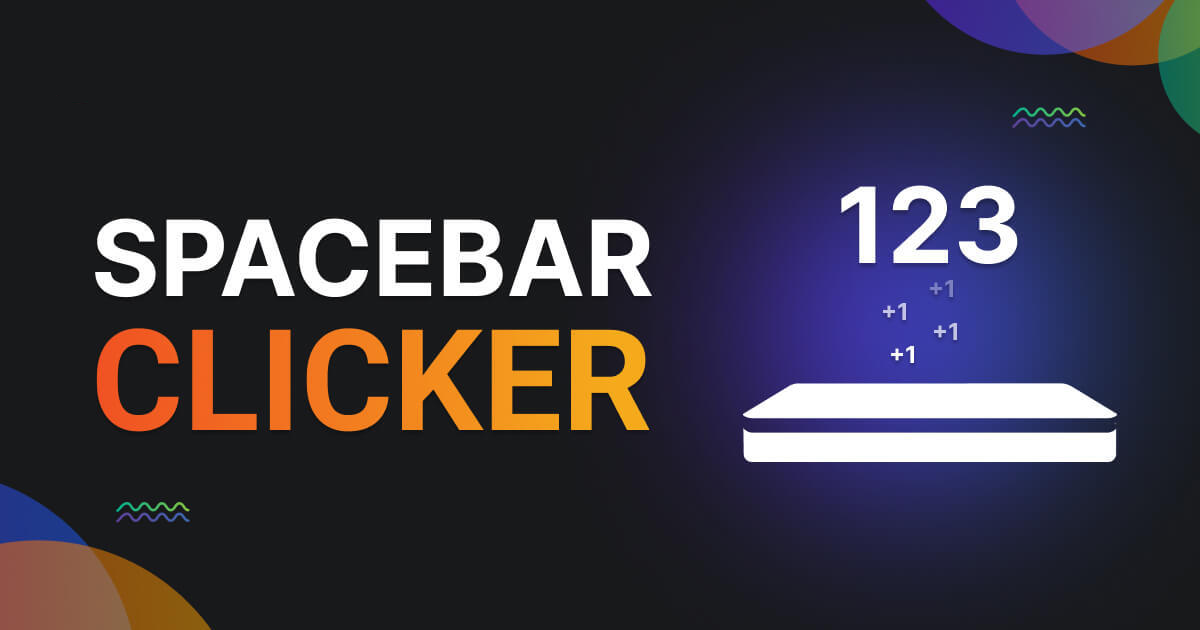
Table of Contents
- About Spacebar Clicker: A Test of Speed and Endurance
- How to Play: Understanding the Core Clicking Mechanics
- Game Modes and Objectives Explained in Detail
- Mastering the Intuitive Single-Key Controls
- Key Game Features: What Makes Spacebar Clicker So Addictive?
- A Breakdown of the Interface: Simplicity in Design
- Advanced Strategies: From Casual Tapper to CPS Champion
- Tips & Tricks: Your Guide to Mastering the Spacebar
- The Social and Competitive Scene
- Similar Games to Spacebar Clicker
- Technical Aspects: Graphics, Sound, and Performance
- Development and Legacy: The Rise of a Viral Phenomenon
- Is Spacebar Clicker Safe for Kids?
- Download
- Frequently Asked Questions (FAQs)
- Conclusion: Why Spacebar Clicker is a Must-Try Digital Diversion
About Spacebar Clicker: A Test of Speed and Endurance
Spacebar Clicker is not a single game but a genre of online tools and hyper-casual games centered around measuring the speed at which a user can press their keyboard's spacebar. It exists in many forms across various websites, from simple counters with a timer to more elaborate incremental games with upgrades and automation. Its origin is decentralized, having emerged organically from the online community's fascination with performance metrics, similar to mouse-based CPS tests popular among gamers.
The core concept has become a viral sensation, largely due to its accessibility and competitive nature. It requires no downloads, no powerful hardware, and no prior gaming experience. This ease of access has made it a favorite on school networks and for office breaks, earning it the "unblocked" game status. The game serves a dual purpose: it's both a lighthearted form of entertainment and a practical tool for gamers looking to improve their APM (Actions Per Minute) for competitive titles where rapid key presses for jumping or shooting are crucial.
The popularity of the Spacebar Clicker challenge skyrocketed on social media, especially TikTok, where users post videos of themselves taking the test, showcasing their scores and techniques. This social element transformed a simple tool into a global competition, encouraging millions to test and improve their own clicking speed.
- Developer: Various independent developers
- Publisher: Hosted on numerous web portals (e.g., Funzilo, Hooda Math, Poki)
- Release Date: Evolved over many years, popularized in the late 2010s
- Platforms: Web Browser (HTML5), Android (via APKs)
- Genre: Clicker, Incremental Game, Arcade, Skill Test
How to Play: Understanding the Core Clicking Mechanics
The objective of Spacebar Clicker is incredibly straightforward: press the spacebar as many times as you can within a set time limit to achieve the highest possible score.
Your interaction with the game is focused on a single key. The user interface typically displays a timer, a counter for your clicks, and your real-time Clicks Per Second (CPS) score.
- The Core Control: The entire game revolves around pressing the spacebar. Each press registers as one point or "click." The game is a pure measure of your physical speed and stamina.
- Timed Challenges: Most versions of the game are based on a timer. You choose a duration—commonly 5, 10, 30, or 60 seconds—and the counter begins with your first press. Your goal is to maximize your total clicks before the time runs out.
- Incremental Game Variants: In more complex versions, each press earns you points that act as currency. You can spend these points on upgrades that automatically add clicks per second. This introduces a layer of strategy, as you must decide when to stop clicking manually to purchase an upgrade that will boost your score passively.
- Scoring and Ranks: After each round, your score is displayed, often along with your average CPS. Many sites provide a ranking to give context to your performance, such as "Slow," "Average," or "Super-fast!". According to online data, an average score is around 6-7 CPS, while skilled players can exceed 10 CPS.
Game Modes and Objectives Explained in Detail
While the concept is simple, Spacebar Clicker is offered in several different modes and formats across the web, each with a slightly different objective to keep the challenge fresh.
1. Timed Speed Test (CPS Test)
This is the most common and purest form of the game. The goal is to achieve the maximum number of clicks within a predefined time limit. Common time intervals include:
- 1, 5, and 10-Second Tests: These are sprints that measure your maximum burst speed.
- 30 and 60-Second Tests: These longer durations test your stamina and consistency, as finger fatigue becomes a significant factor.
- 100 or 120-Second Tests: These marathon modes are for endurance experts, requiring pacing and the ability to switch techniques to avoid strain.
2. Click Counter Mode (Endless Mode)
In this mode, there is no timer. The game simply acts as a counter, tracking your total number of spacebar presses. This is often used for personal challenges (e.g., "how long does it take to reach 1,000 clicks?") or for use with auto-clicker tools for fun.
3. Incremental/Idle Game Mode
This mode transforms the speed test into a strategic resource-management game. Your manual clicks are just the beginning. The main objective is to purchase a series of increasingly powerful (and often humorous) upgrades. These might include things like a "Gen Z Kid" who is great at tapping, a "MOBA Gamer" with fast reflexes, or even a "Quantum Brain" that boosts your CPS. The ultimate goal in these versions is often to reach a point of singularity where the game plays itself, generating an astronomical number of clicks per second.
4. Challenge Modes (e.g., The TikTok Challenge)
This isn't an in-game mode but a socially driven one. The TikTok challenge typically involves users recording themselves taking a 30-second test, sharing their score, and challenging others to beat it. This has become one of the primary ways the game is played competitively.
Mastering the Intuitive Single-Key Controls
The control scheme of Spacebar Clicker is the definition of simplicity, which is a core part of its universal appeal. There is only one input, but mastering it requires physical dexterity.
On PC (Web Browser):
The game is primarily designed for a physical keyboard.
- The Spacebar: Press the spacebar key to register a click. That's it. The game's performance is highly dependent on the quality of your keyboard and the responsiveness of its switches. Mechanical keyboards are often preferred by serious players for their tactile feedback and durability.
On Mobile (Web Browser or APK):
While designed for keyboards, the game can be played on touchscreens.
- On-Screen Button: Mobile versions typically feature a large on-screen button that you tap with your finger or thumb. While functional, achieving the same speeds as a keyboard is nearly impossible due to the different ergonomics.
The beauty of this control scheme is its directness. There is no filter between your physical action and the in-game result, making any improvement in your score feel like a genuine personal achievement.
Key Game Features: What Makes Spacebar Clicker So Addictive?
Spacebar Clicker's enduring popularity stems from a combination of psychological appeal and clever, simple design.
- Instant Gratification: Every single press provides immediate visual and auditory feedback. Watching the counter tick up is inherently satisfying and creates a tight, addictive gameplay loop.
- Clear and Measurable Progress: Unlike other games where skill is abstract, your ability in Spacebar Clicker is represented by a hard number. This makes it easy to track your improvement over time and set concrete goals.
- Inherent Competitiveness: The game taps into the natural human desire to compete. Whether you're challenging a friend sitting next to you or a stranger on TikTok, the high-score chase is a powerful motivator.
- Zero Barrier to Entry: It's free, requires no download or installation, runs on any device with a web browser, and can be understood in seconds. This makes it one of the most accessible games in the world.
- Humor and Absurdity (in Incremental Versions): The upgrade-based versions keep players engaged with creative and funny unlocks. Progressing from a simple robot to a "Nuclear Blast Gun" that generates millions of clicks is a hilarious and rewarding journey.
A Breakdown of the Interface: Simplicity in Design
Unlike games with evolving levels or arenas, the "arena" in Spacebar Clicker is its user interface. The design is almost universally minimalist, focusing entirely on function over form to provide a clear and distraction-free experience.
The Standard Interface: Most versions feature a very clean layout. You will typically see:
- The Click Counter: The most prominent element, displaying your current number of presses in large, bold numbers.
- The Timer: A clear countdown timer showing how much time you have left in the challenge.
- Clicks Per Second (CPS) Readout: A real-time calculation of your current clicking speed, which is the key metric for performance.
- Start/Retry Button: A simple button to begin a new challenge or try again to beat your previous score.
Incremental Game Interface: The upgrade-based versions add an extra layer to the UI. You'll find a scrollable shop or list of available upgrades, showing their cost, the CPS they provide, and how many of each you currently own. This design allows for easy strategic planning as you decide which upgrade to purchase next for the most efficient gain.
Advanced Strategies: From Casual Tapper to CPS Champion
Achieving a top-tier score in Spacebar Clicker requires more than just frantic energy. It involves technique, strategy, and even the right hardware.
- Mastering Clicking Techniques: Don't just use one thumb. Professional players use advanced methods to maximize their speed:
- Two-Hand Method: Place your keyboard on your lap or a low table. Use the index fingers of both hands to alternate pressing the spacebar, similar to a drum roll.
- Jitter Clicking: Tense your arm and wrist muscles to create rapid vibrations, transferring that energy into the finger you are using to press the key. This technique is hard to sustain but can produce very high burst speeds.
- Butterfly Clicking: Rapidly alternate clicks using two fingers on the same hand (usually the index and middle fingers). While more common for mouse clicking, this technique can be adapted for the spacebar.
- The "Hold and Click" Method: Use one finger to hold the spacebar halfway down, just above the actuation point, while using a finger from your other hand to perform the rapid, shallow clicks. This minimizes travel distance and can significantly boost speed.
- Ergonomics and Posture: Sit in a comfortable position that allows your arms and wrists to remain relaxed. Tension and awkward angles will slow you down and lead to fatigue faster.
- Choosing the Right Hardware: A high-quality mechanical keyboard with sensitive, low-actuation switches can provide a competitive edge over a standard membrane or laptop keyboard.
- Pacing Yourself: In longer challenges (30 seconds or more), starting at your absolute maximum speed will lead to quick burnout. Instead, find a fast but sustainable rhythm and save your burst of maximum energy for the final 5-10 seconds.
Tips & Tricks: Your Guide to Mastering the Spacebar
- Practice Consistently: Like any physical skill, regular practice is the key to improvement. Spend a few minutes each day doing different timed tests to build muscle memory and finger strength.
- Warm-Up Your Fingers: Before attempting a high-score run, do some simple finger exercises like tapping on a table to get the muscles ready.
- Find a Stable Surface: Ensure your keyboard is on a solid surface and won't slide around during intense clicking sessions.
- Stay Relaxed: Tension is the enemy of speed. Try to keep your shoulders, arms, and hands as relaxed as possible. Focus on fluid movements rather than brute force.
- Use Different Fingers: If one finger gets tired, switch to another. Alternating between your index finger and thumb, or even using two hands, can help you maintain a higher average speed over longer durations.
The Social and Competitive Scene
Spacebar Clicker thrives on its social and competitive aspects. While most versions don't have built-in global leaderboards, competition happens organically. Players share screenshots of their scores on social media, create YouTube videos documenting their improvement, and issue direct challenges to friends. The most significant competitive arena has been TikTok, where the #spacebarchallenge became a viral trend, pushing the game into the mainstream and establishing community-wide benchmarks for what constitutes a "good" score.
Similar Games to Spacebar Clicker
If you enjoy the simple yet satisfying loop of Spacebar Clicker, there are many other games in the genre worth exploring:
- CPS Test: The direct mouse-based equivalent of Spacebar Clicker. It measures how fast you can click your mouse button and is a popular benchmark for gamers.
- Cookie Clicker: The legendary incremental game that popularized the genre. You start by clicking a giant cookie and use your earnings to build a massive cookie-baking empire.
- Planet Clicker: A space-themed incremental game where your clicks generate energy to buy planets, upgrade technology, and expand across the galaxy.
- Dino Game: The famous offline dinosaur game in Google Chrome. While not a clicker, it relies on precise spacebar presses to jump over obstacles, testing a similar skill set.
Technical Aspects: Graphics, Sound, and Performance
Spacebar Clicker is a prime example of technical minimalism. It is typically built with basic HTML, CSS, and JavaScript, making it incredibly lightweight and universally compatible. The graphics are usually nothing more than text and simple buttons, ensuring that the game runs flawlessly on any device, from a high-end gaming PC to a low-powered school Chromebook. Performance is key; the game's code is optimized to register inputs with minimal latency, as any delay would invalidate its purpose as a speed test. The sound design is equally simple, usually consisting of a satisfying "click" sound effect for each press, providing essential audio feedback to the player.
Development and Legacy: The Rise of a Viral Phenomenon
There is no single creator of Spacebar Clicker. Instead, it's a concept that has been implemented by countless developers and web portals over the years. Its legacy is not tied to a specific company but to its impact on internet culture. It represents a genre of "tool-games" that serve a practical purpose (measuring CPS) while also being entertaining. Its rise to fame via TikTok challenges cemented its place as a go-to browser game for a quick, competitive thrill. It has become a modern digital pastime, a simple way to challenge oneself and others, proving that a game doesn't need complex graphics or mechanics to be incredibly engaging.
Is Spacebar Clicker Safe for Kids?
Yes, Spacebar Clicker is entirely safe for all ages. The content is completely benign, focusing only on the mechanical action of pressing a key. There is no violence, inappropriate content, or mature themes. Its simplicity and harmlessness make it an excellent choice for a family-friendly activity or a quick, safe game for children to play online. The only consideration is the physical aspect; users should be reminded to take breaks to avoid finger or wrist strain from repetitive motion.
Download
Spacebar Clicker is designed for maximum accessibility, with most versions being browser-based. However, dedicated apps also exist.
- Play Online: The primary way to play is directly in your web browser. It requires no downloads, no installation, and is often unblocked on restricted networks.
- Android: For a dedicated mobile experience, you can download an APK version from trusted app stores like the Google Play Store.
- APK: For manual installation on Android, secure APK files can be found on reputable sites like APKPure.
Frequently Asked Questions (FAQs)
1. Is Spacebar Clicker a free game?
Yes, virtually all versions of Spacebar Clicker are completely free to play online. They are typically supported by on-site advertisements.
2. Can I play Spacebar Clicker offline?
The browser-based versions require an internet connection to load the page. However, once loaded, the game itself does not require a continuous connection. Downloadable APK versions can be played offline.
3. What is a good score in Spacebar Clicker?
A good score is relative, but generally, a speed of 5-6 CPS is considered average. Speeds of 7-9 CPS are good, and anything over 10 CPS is considered very fast.
4. Can I use an auto clicker?
While it defeats the purpose of a speed test, many players use auto clicker tools for fun, especially in the incremental game versions, to see how quickly they can progress through the upgrades.
5. What is the world record for spacebar clicking?
Official records are not centrally tracked, but the community generally acknowledges scores of around 14-15 clicks per second in a 10-second test as being near the human limit.
6. How can I improve my CPS score?
The best way to improve is through consistent practice and experimenting with different clicking techniques, such as using two hands or the jitter click method.
7. Does the type of keyboard matter?
Yes, a responsive keyboard with a sensitive spacebar can make a difference. Gamers often prefer mechanical keyboards because their physical switches can be faster and more reliable for rapid presses.
8. Why is the game so popular in schools?
It is popular in schools because it is a simple, browser-based game that is often not blocked by school network filters. Its competitive but non-violent nature makes it a perfect quick diversion.
9. Is this a real game or just a test?
It's both! In its simplest form, it's a tool to test your clicks per second. In its more advanced forms with upgrades and automation, it is a fully-fledged incremental or idle game.
10. Can playing too much cause injury?
Yes. Like any repetitive motion, excessive and intense clicking can lead to repetitive strain injury (RSI) in the fingers, wrist, or arm. It is important to take frequent breaks, stretch, and stop if you feel any pain.
Conclusion: Why Spacebar Clicker is a Must-Try Digital Diversion
Spacebar Clicker is a brilliant testament to the idea that a game does not need complexity to be compelling. In its purest form, it is a raw and engaging spacebar click test that challenges your physical limits and provides a clear, satisfying measure of your skill. In its incremental game form, it transforms into an addictive journey of exponential growth, filled with humor and absurd upgrades. Its universal accessibility has allowed it to flourish as an unblocked browser game and a viral social media challenge, connecting millions of players in a simple, shared goal: to click faster.
The game’s appeal is elemental. It taps into our innate desire for improvement and competition in the most direct way possible. It serves as both a fun distraction and a practical training tool for gamers looking to sharpen their reflexes. Whether you are trying to set a new personal best, unlock the next hilarious upgrade, or simply settle a friendly rivalry, Spacebar Clicker offers endless, accessible entertainment. It is one of the most elegantly simple and addictive experiences the internet has to offer, and a must-play for anyone with a keyboard and a competitive spirit.